 Beyond Coordinates
Sunlight and shadow analysis is a common requirement. How can a comparable effect be implemented on a map?
Choosing a Framework
Cesium
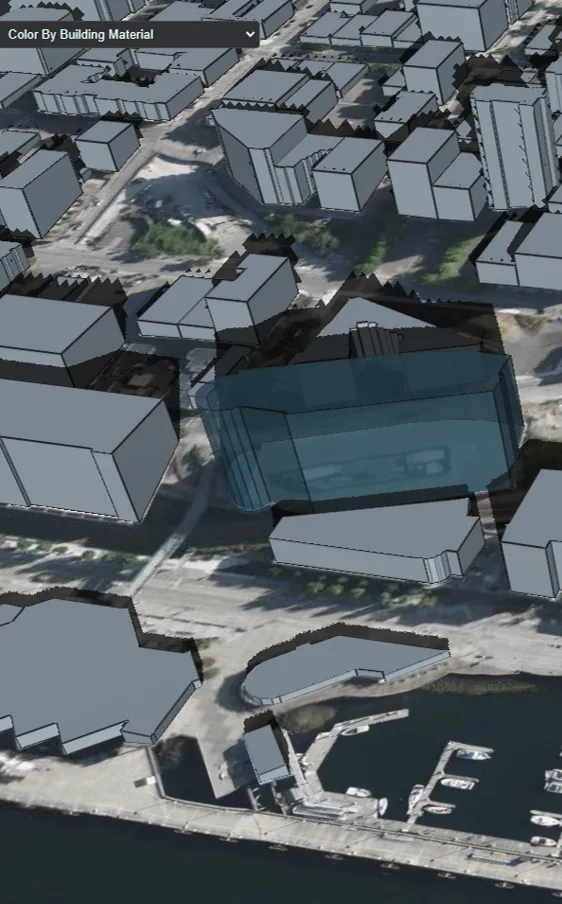
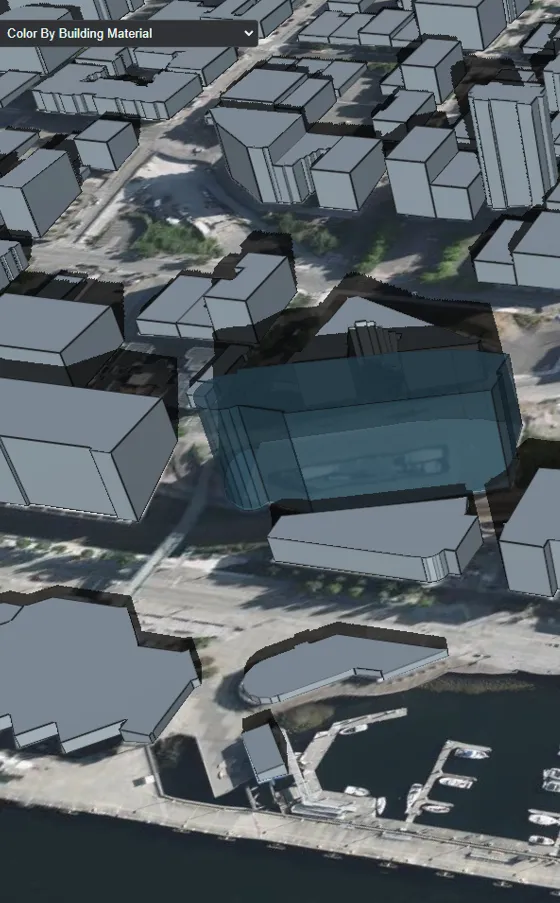
Cesium has built-in shadow support: set the Viewer option shadows to true. The default result, however, has severe aliasing, as shown below. Adjusting properties of the ShadowMap class can improve the quality.
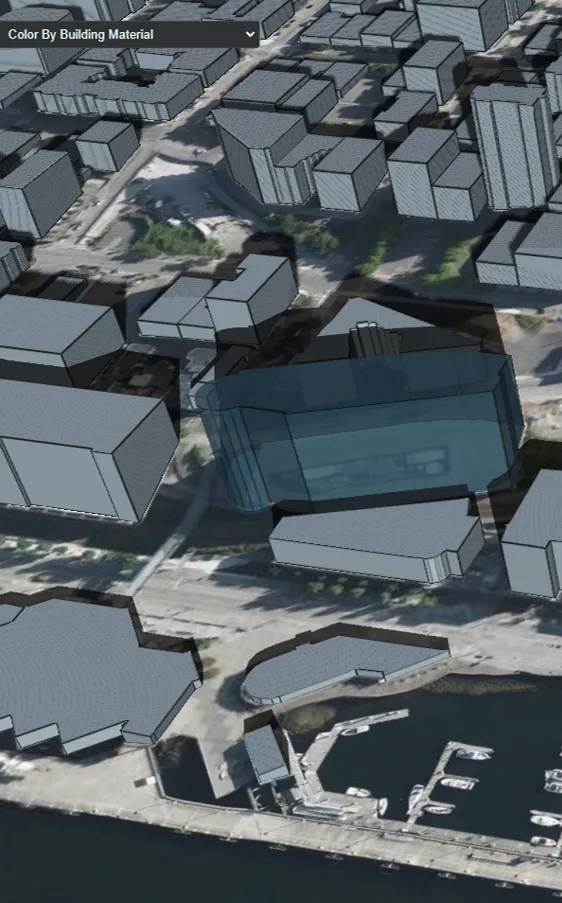
const viewer = new Cesium.Viewer("cesiumContainer", {
  shadows: true
});

viewer.shadowMap.size = 10240;
viewer.shadowMap.softShadows = true;
Judging from their properties, Cesium’s ShadowMap and Three.js’s LightShadow are very similar. Both fundamentally work by rendering a shadow map. Higher shadow quality therefore comes with a greater performance cost.
Mapbox
Although Mapbox is highly extensible for 3D rendering, there are few mature 3D-visualization plugins built directly on it. More often, established WebGL frameworks provide Mapbox integration, as deck.gl does. Threebox, originally developed by Peter Liu, was no longer maintained; a Microsoft engineer forked it and continued development, focusing mainly on Mapbox GL JS v2 support.
At the time, Threebox was not well suited to production use. It contained substantial hard-coded behavior, and using it effectively required familiarity with Mapbox, the Threebox source, and Three.js.
Its building-shadow implementation was also incompatible with Mapbox GL JS v2. The rest of this article explains how to restore that feature.
How the BuildingShadows Layer Works
Threebox’s BuildingShadows layer uses a different technique to render building shadows.
Consider its vertex and fragment shaders:
// vertexShader

uniform mat4 u_matrix;
uniform float u_height_factor;
uniform float u_altitude;
uniform float u_azimuth;
attribute vec2 a_pos;
attribute vec4 a_normal_ed;
attribute lowp vec2 a_base;
attribute lowp vec2 a_height;
void main() {
    float base = max(0.0, a_base.x);
    float height = max(0.0, a_height.x);
    float t = mod(a_normal_ed.x, 2.0);
    vec4 pos = vec4(a_pos, t > 0.0 ? height : base, 1);
    float len = pos.z * u_height_factor / tan(u_altitude);
    pos.x += cos(u_azimuth) * len;
    pos.y += sin(u_azimuth) * len;
    pos.z = 0.0;
    gl_Position = u_matrix * pos;
}

// fragmentShader

void main() {
    gl_FragColor = vec4(0.0, 0.0, 0.0, 0.7);
}
The color calculation is trivial; the important part is the vertex calculation. It first constructs this vertex:
vec4(a_pos, t > 0.0 ? height : base, 1)
This is the original vertex of the extruded building. The shader then calculates the shadow length:
pos.z * u_height_factor / tan(u_altitude)
It combines that length with the shadow direction to calculate the projected vertex position:
pos.x += cos(u_azimuth) * len;
pos.y += sin(u_azimuth) * len;
The value of u_azimuth is the solar azimuth calculated from the specified local time and the building’s geographic location.
Supporting Mapbox GL JS v2
Why did this code stop working with Mapbox? The problem lies in how it reads building-layer data. During the v2 upgrade, Mapbox changed the data supplied to shaders to reduce memory usage for fill-extrusion layers, packing vertex positions and normals into a single attribute. See the relevant commit for details.
The fix is therefore to apply the corresponding vertex-shader changes to Threebox’s BuildingShadows implementation.
Final Result
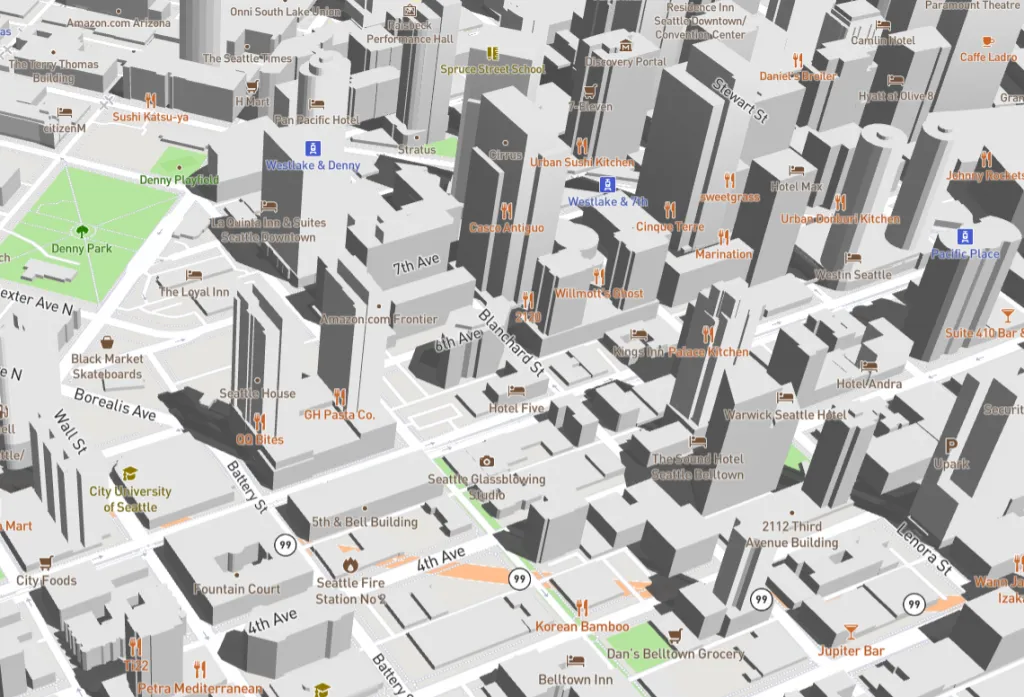
Combining the building shadows with Mapbox’s map light and skybox produces the following result.
This building-shadow implementation is tightly coupled to Mapbox and its visual quality falls short of Cesium’s, but it is simple and has a relatively small performance cost.